
Prepare the close
Review period checklists, cash counts, dated reversals and an explicit fiscal-year policy. Keep comparative performance reports meaningful after closing.
PHP Ledger records invoices, bills, stock movements and bank transactions as balanced journals, then shows the profit and loss, balance sheet and cash position behind them. It is open source under AGPL and installs like WordPress on PHP 8.2+ with MySQL 8.0.19+ (8.4 recommended) or MariaDB 10.4+. PHP Ledger 1.4.7 is the latest release.
PHP Ledger is open source. Maintenance has stopped for lack of funds. Help fund a year of open-source work (USD 135,000).
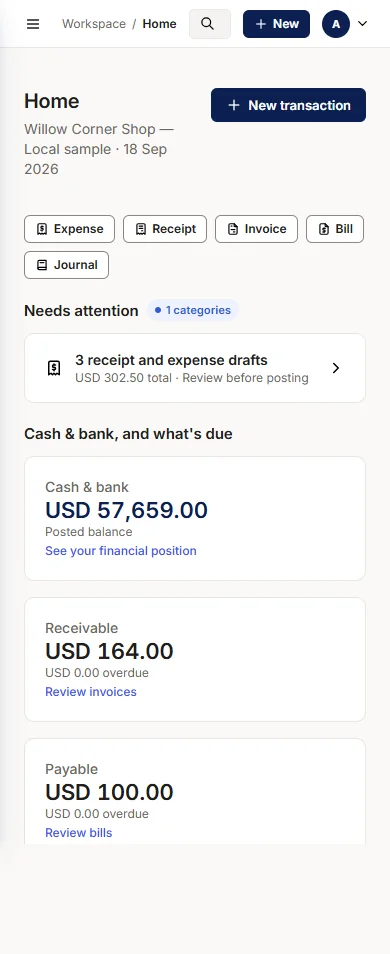
These illustrative screens show Willow Corner Shop in version 1.0.0; the latest release added the workflows described below.
Yes. Invoices, bills, stock, bank reconciliation and reports ship together in the free core package. The AGPL-3.0-or-later licence lets an accountant or software house inspect how a figure was posted.
Yes, if it meets the published requirements: PHP 8.2+, MySQL 8.0.19+ (8.4 recommended) or MariaDB 10.4+, HTTPS, the required extensions and Apache or LiteSpeed to keep the application folders private. Run the browser installer's checks on the actual host. Signed updates make a matched backup before changing the installation and recover automatically if a migration fails.
Reports drill down to journals and from journals to the source document, so a profit and loss line can be explained to the person who asks. Posted entries are never edited: a correction is a linked reversal with its reason recorded, and a draft never touches the books until someone reviews and posts it.
Regional tax certification, statutory payroll, automatic exchange rates, revaluation and consolidation were not included, and independent accounting and security reviews were never completed. Help fund a year of open-source work.
The invoice register shows each invoice's status, due date and remaining balance. Filter by Draft, Unpaid, Overdue, Paid or Reversed, then record a receipt from the list. Customer credits appear in the same register, so you can follow a partly paid invoice and the credit that settles it.
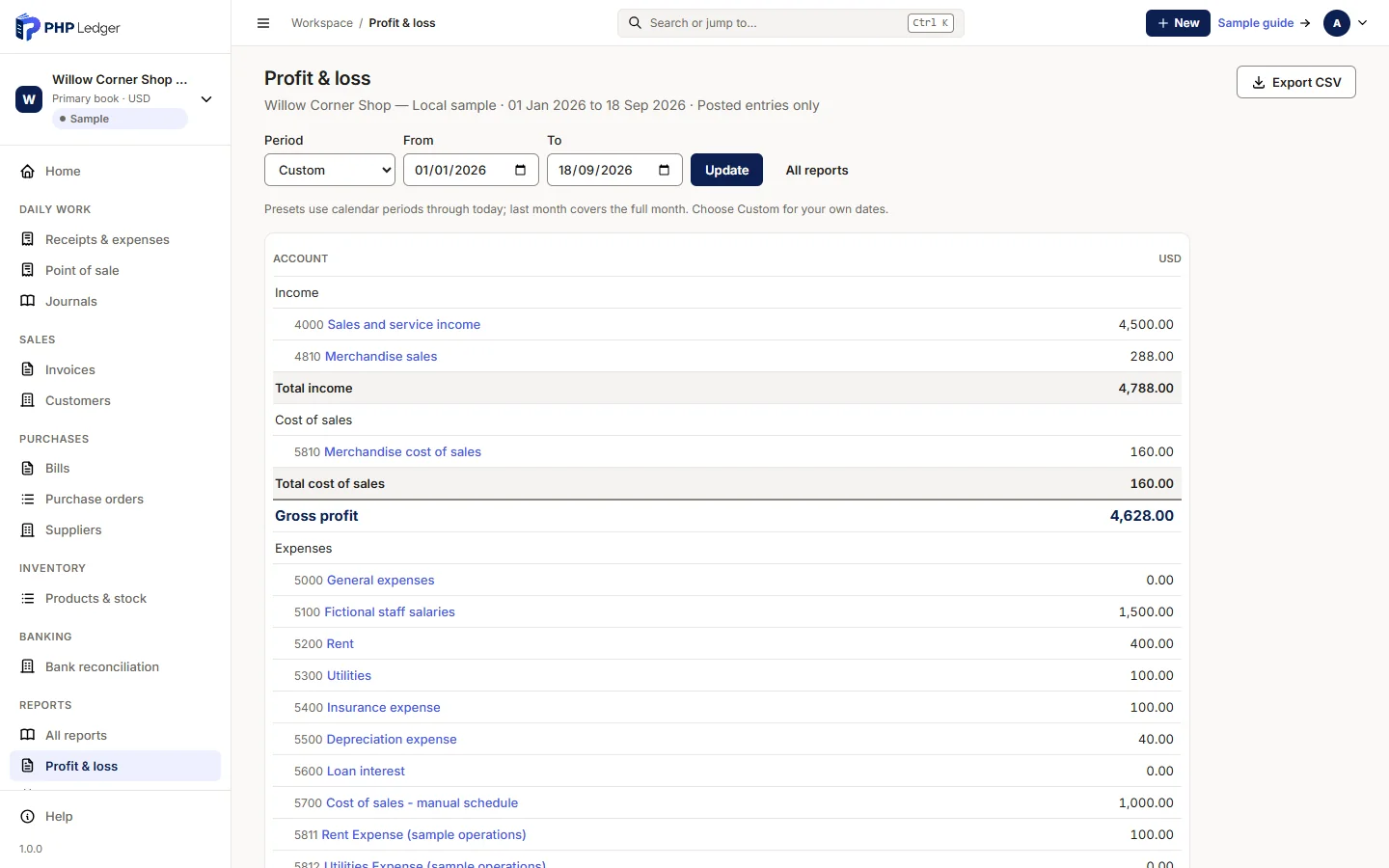
See sales in the product tourChoose the reporting period, then open an account name to see the entries behind its total. Income, cost of sales, gross profit and expenses appear in one report, with a CSV export for review. The balance sheet, trial balance and ageing reports provide their own dated views.
See the reportsUpload or paste a CSV statement, preview its rows, then confirm matching suggestions one line at a time. Investigate unexplained movements before completing the reconciliation. Each completed statement stays with the account, preserving the history for the next reconciliation.
See banking in the product tourOptional Inventory uses moving weighted-average cost, showing quantity on hand and carrying value together. Stock counts preview their accounting effect before posting. Supported goods receipts, issues and returns flow through the same books, and cost of sales appears on the profit and loss.
See inventory in the product tourThe optional cash counter lets you build a cart, review cash and change, and print a receipt. Each confirmed sale records one balanced journal through the central posting service. Shared stock deductions, tax integration and card payments at the counter were never added.
See the point of saleThe Willow Corner Shop capture above shows USD 4,788.00 income − USD 160.00 cost of sales = USD 4,628.00 gross profit. Gross profit is before the period's other expenses; it is not the cash balance. Open the account statement to trace a reported amount to its posted entries.
Source: PHP Ledger version 1.0.0 sample report capture. These fictional figures illustrate the report; they are not customer results or a claim of business performance. The report walkthrough explains how to explore the same workflow with a sample company.
Walk through the real installer, create a business and follow a transaction into the reports. The demo is shared: if setup is already complete, use demo / DemoLedger123!. Database fields show labelled dummy values. All records and sessions reset hourly; use fictional information only. Optional verified sample packages are provided by the host.
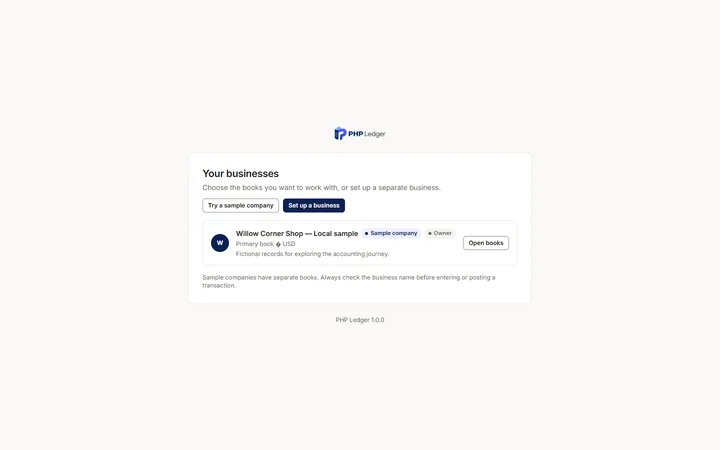
The demo lets you try the actual installer and accounting workflows, then discards records and sessions at each reset. A self-hosted installation preserves your records and gives you control over users and recovery. It also makes you responsible for hosting, updates and tested backups.
| Decision | Public demo | Your own installation |
|---|---|---|
| Purpose | Try the accounting workflows with sample data. | Evaluate and operate the supported workflows on infrastructure you control. |
| Records | Fictional data only; all visitors share the same disposable installation and records. | Your operator manages the database, users and retention. Complete reviewed acceptance before using real books. |
| Reset and backups | Resets at the next scheduled UTC hour. Exporting a report does not preserve the demo company. | No hourly demo reset; you maintain tested backups and a recovery process. |
| Cost and licence | Free to try, with limited capacity. | Core software is free under AGPL-3.0-or-later. Hosting, optional help and commercial licensing have separate costs or terms. |
| Setup | Open the demo in a browser. | Check PHP, database and HTTPS requirements, verify the package, upload the phpledger folder and open its address to run the browser installer. |
Sources: demo reset and data boundaries, installation requirements and the funding page.
Follow these three steps before relying on the software for your own books.
Try the actual installer and shared application, then follow a sale, a bill and a bank statement through the books. All demo records and sessions reset hourly.
Try the live demoVerify the release checksum and hosting requirements, upload the phpledger folder anywhere inside your website, then open its address; the installer starts by itself. Start with sample records.
Read the installation stepsCheck your accounting workflows, access controls and backup recovery with the people responsible for them. PHP Ledger is not currently maintained, so no further help is being offered.
Help fund continued developmentPHP Ledger's development happened in public, and the project's social channels carried the same announcements, so there was one place to follow and several ways to reach it.
See the community pageI am Rana Mansoor Akbar Khan, PHP Ledger's project maintainer in Multan. According to the PHP Ledger 1.4.7 validation record, the completed checks covered automated suites, update and recovery fault tests, and exact-package installation and upgrades. The release notes and downloadable package identify the version those checks cover.
Technical validation is not independent accounting or security acceptance. Independent reviews, supervised pilots with a real month-end close and a release-candidate period were never performed before maintenance stopped for lack of funds. Complete your own reviewed acceptance with sample data before relying on the software for a live business.
Short answers to the questions owners and accountants ask first. Each one links to the page with the detail.
Yes. The project-owned core is free under AGPL-3.0-or-later, including invoices, bills, stock, bank reconciliation and reports. The 0.1.0 through 0.1.5 previews retain their earlier MIT grants.
PHP Ledger requires PHP 8.2 or newer, MySQL 8.0.19+ (8.4 recommended) or MariaDB 10.4+, HTTPS and the documented PHP extensions. Upload the phpledger folder into your website and open its address; the installer runs in the browser, without Composer, Node or Docker. PHP 8.3 is recommended; signed automatic updates require the PHP zip extension.
It can, if the actual hosting account meets the requirements. A control panel alone does not prove compatibility. Check PHP extensions, MySQL 8.0.19+ (8.4 recommended) or MariaDB 10.4+, and Apache or LiteSpeed with .htaccess rules enabled so private files stay private, then run the browser installer checks before committing to a host.
The installer offers an anonymous technical installation notice, enabled by default and optional. Existing installations stay silent until an administrator chooses. Optional registration is off by default; no financial records or database credentials are included. You can disable future notices without restricting the software. The public demo is shared and resets hourly. Read the privacy notice for fields and retention. Read the privacy notice.
Yes. PHP Ledger 1.0 includes customer invoices, supplier bills, partial and final payments allocated across open items, linked credits, ageing and control-account reconciliation. Accounts receivable and payable are in the core; owners can hide their navigation without disabling the services.
The latest published release and its verification receipt are listed on the download page. The first stable release, 1.0.0, has published technical validation for automated tests, update recovery and package installation. Independent accounting review, independent security review and supervised pilots were never completed. Complete your own reviewed acceptance with fictional records before using real books.
You keep the source and your self-hosted database under the applicable licence. Continued maintenance, recovery and data extraction still need an operator. Keep tested backups and portable report exports; possession of the release ZIP alone does not establish a recovery process.
Keep the source, draft, posting and report connected through the same ledger.
Review period checklists, cash counts, dated reversals and an explicit fiscal-year policy. Keep comparative performance reports meaningful after closing.
Record aggregate payroll accruals, staff advances and partial settlements. Review recurring and loan drafts with disclosed conventions before posting.
Use confidential employee records, explicit staff links, installation-specific table prefixes and database TLS. Arabic is available as a draft RTL translation.